





 Bank of America
Activate your offer in a few simple steps
Discover cash back on Savings Unlocked, activate through Bank of America, then shop.
Start with Savings Unlocked
Begin by finding the offer you want to use. Search for a merchant directly, browse offers by the credit card you have, or explore our featured offers. Once you find an offer that interests you, open it to see the details and get a better understanding of the opportunity.
Savings Unlocked gives you more than just the offer itself. Our Offer Insights can help you quickly understand how valuable an offer may be, including its Savings Score, potential cash back, maximum savings, spending requirement, and important limitations. This helps you decide which offers are worth using before you head over to your card issuer.
When you’re ready to activate the offer, click “Visit Bank of America to Activate.” We’ll take you directly to Bank of America so you can add the offer to your eligible card without having to search for it all over again.
Tracking is built in, too. After you activate on Bank of America’s site, you can come back and let us know by selecting “Yes, I activated it.” We can’t see your bank account, so this is just for your own records. It doesn’t change anything on Bank of America’s side, but it’s a simple way to keep track of which offers you’ve already activated.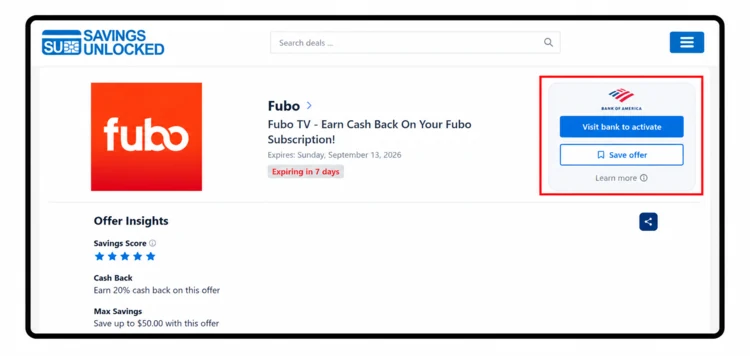
Sign in to Bank of America
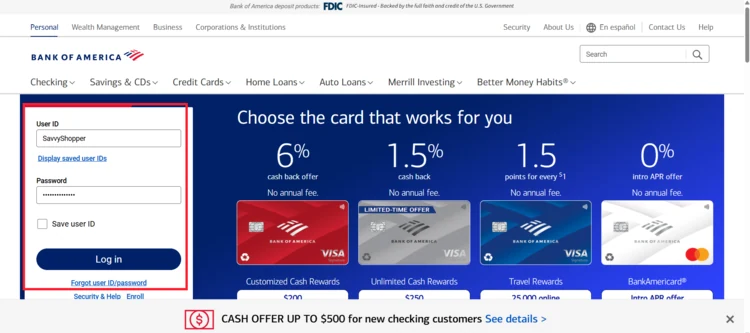
You’ll be redirected to the Bank of America website. Sign in to the account connected to the card you added the offer to. Once you’re signed in, look for your credit card, click on it, and then click “View All Deals” to enter the Bank of America Offers portal. This is where you’ll find the offers available to you.
Find and activate your offer
Once you’re in the Bank of America Offers portal, you can use the Search bar to look for a specific merchant, or browse the available offers using Recommended Offers, filters, categories, and sorting options. When you find the offer you want, select it to view the details, then click the “+” or “Shop now” button to activate it. Make sure you add the offer to the same card you plan to use for the purchase.
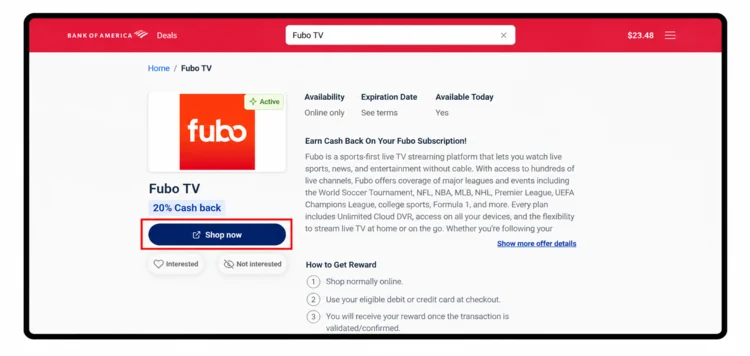
Shop as usual
Use the same card that you added the offer to when you make your purchase. For this example, the purchase must meet the Fubo offer terms, including the required spend. You can shop normally, just make sure the purchase qualifies and is charged to the card you added the offer to.
Please note: Always activate a Bank of America offer before making your purchase. However, if you recently used a card with an available offer, don’t assume it’s too late. Activate it as soon as possible afterward to give yourself the best chance of receiving the associated credit.See your rewards
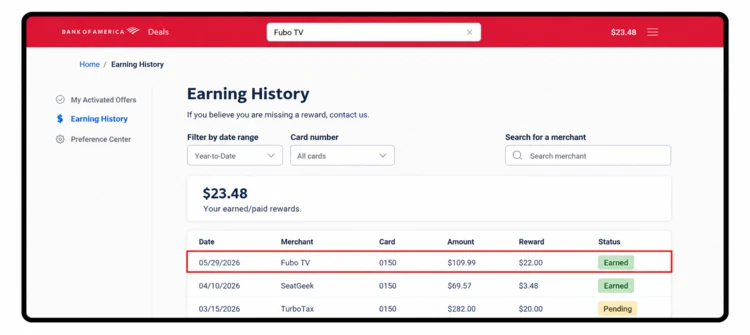
Once you meet the offer terms and Bank of America credits the reward, you can review it in your account. Your earned offers and statement credits appear in your activity, where you can see the merchant, amount earned, and card associated with the offer. This gives you an easy way to confirm that your savings were received.
Watch for a confirmation email. You may receive a confirmation email when an offer is activated, and you may also receive another email once the offer has been redeemed or the credit has been processed. These messages can give you another simple way to confirm that your offer was successfully added and, later, that your qualifying purchase was recognized. Keep an eye on your inbox after activation and save these messages for your records, especially if the offer has a spending requirement or multiple available credits.
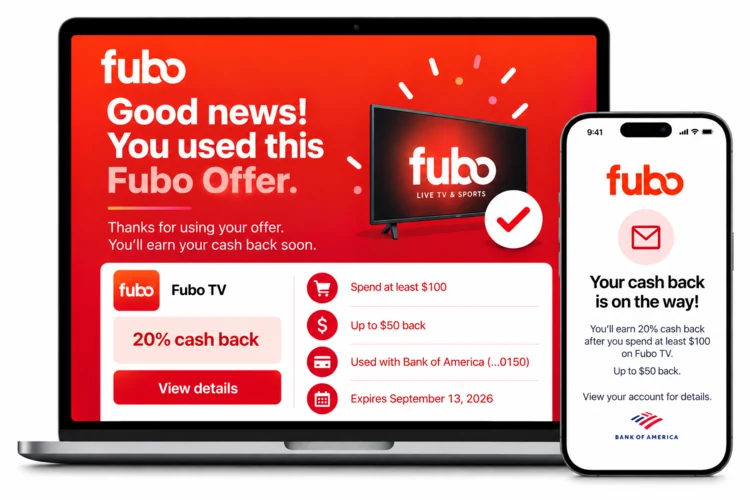
That's it. Ready to unlock your savings?
Add your cards once and we'll show you the offers that are actually yours — no bank logins, no account linking, always free.